

Part details and stock
Select a Part's name or show action in the Parts table to open its details drawer. The drawer combines catalog identity with current stock and project-build use.
Part information
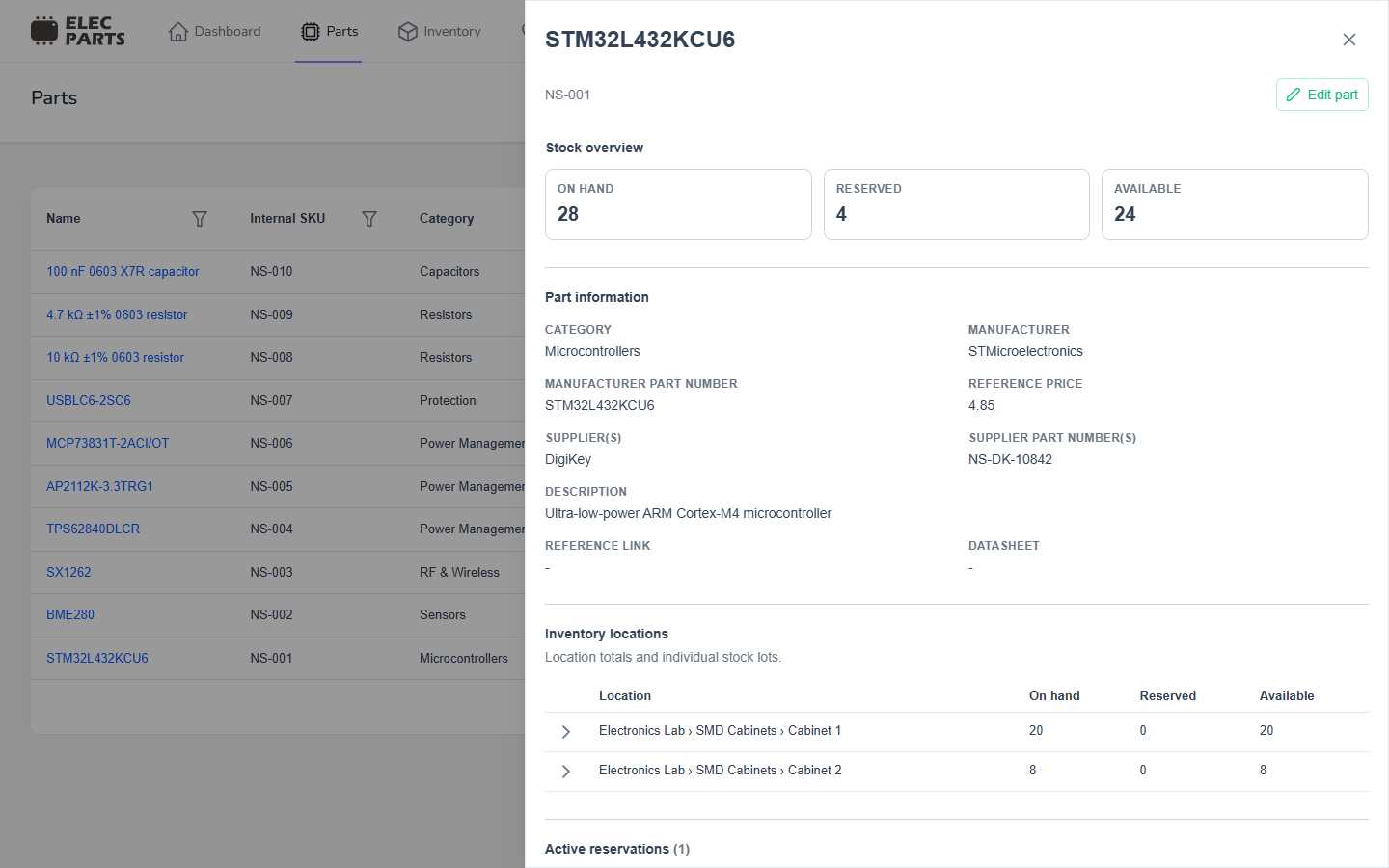
The top of the drawer shows the internal SKU and Stock overview. Part information includes the category, manufacturer, MPN, reference price, supplier names and supplier part numbers, description, reference link, and datasheet when available. Supplier values come from supplier listings attached to the Part; a holding can have no supplier listing even when the catalog Part has supplier details.
The three stock totals use the same definitions as the Parts list:
- On hand is the quantity currently held across all locations and stock batches.
- Reserved is the quantity committed to active project builds. It includes Part-level reservations in Matching and stock allocations in Picking.
- Available is On hand minus Reserved.
Matching reservations reduce the Part's Available total before a build has chosen exact locations or stock batches. On hand stays the physical quantity in stock; a reservation does not remove stock.
Location and holding totals can show a different Reserved and Available split from the Part summary. Their Reserved values count quantities assigned to those exact locations or holdings. A Matching reservation stays at the Part level until Picking assigns stock, so it cannot be attributed to a location yet.
Inventory locations and stock batches
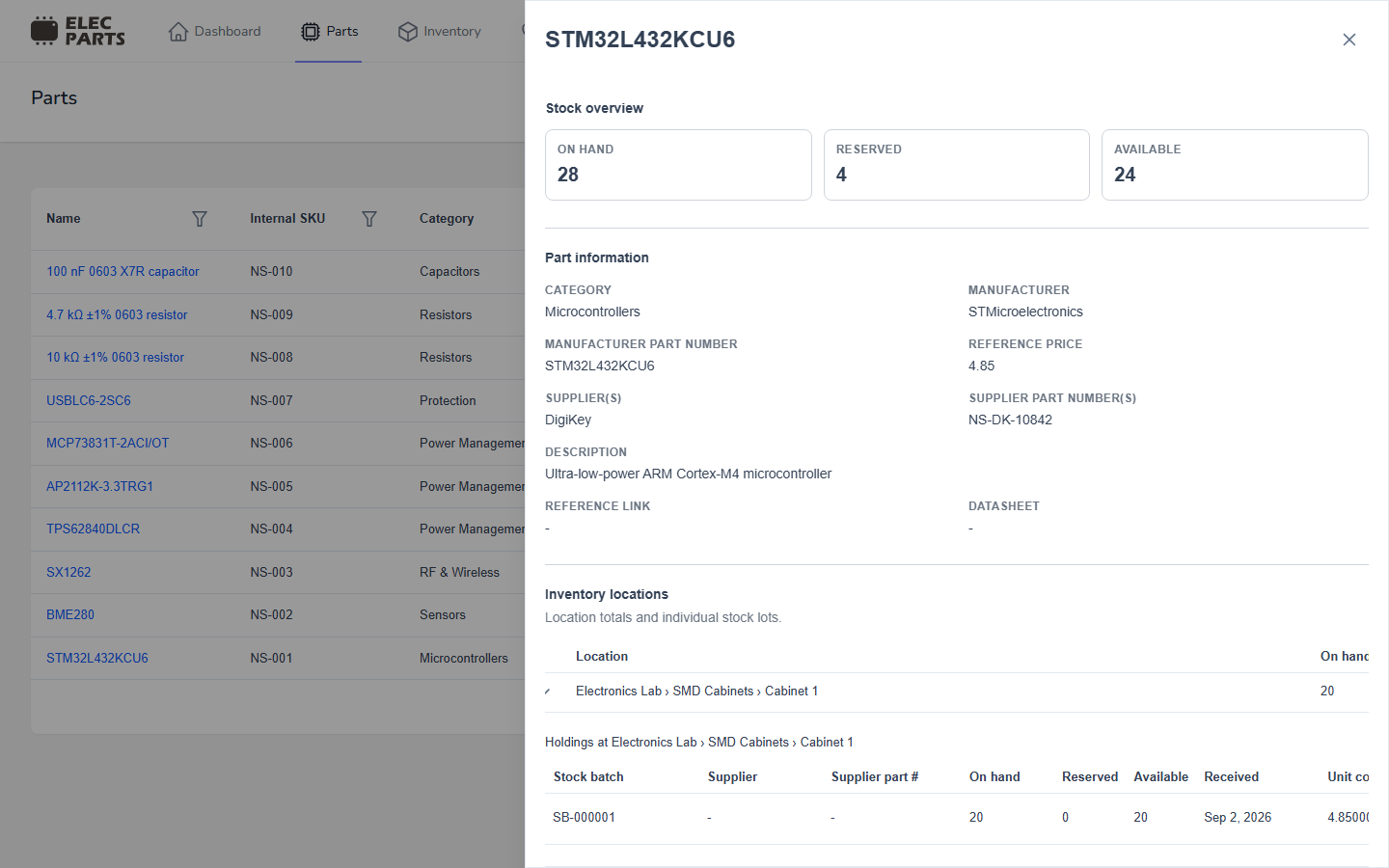
Inventory locations groups current stock by exact location. Expand a location to see its individual holdings. Each row represents a stock batch at that location and can show:
- stock batch number;
- supplier and supplier part number, when recorded for that batch;
- On hand, Reserved, and Available quantities;
- received date and unit cost with currency; and
- the location path.
An individual holding is one batch at one exact location. The location totals add up their holdings. Stock batches preserve their receipt identity, so the drawer can show separate holdings for different receipts of the same Part.
Project build usage
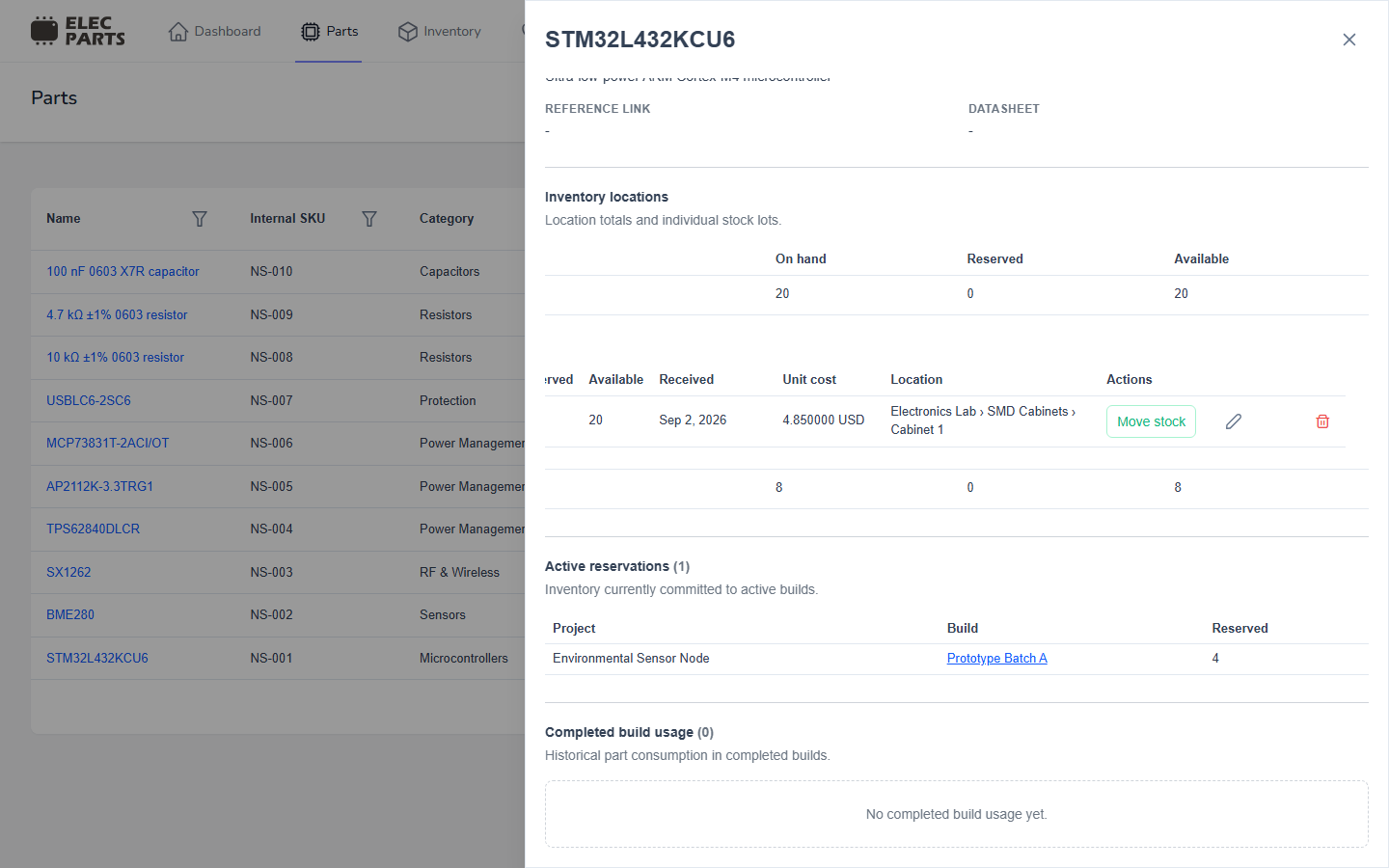
Active reservations groups quantities committed to each active build. It can include a reservation made during Matching before the build selects a physical stock batch, as well as quantities allocated during Picking. Select a build name to open its current matching or picking plan.
Completed build usage shows quantities consumed by finished builds. Select a build name to review the completed build. These sections let you see both current commitments and historical use of the Part.
See Project Builds for matching, picking, and completion.
Change stock from the drawer
These actions operate on a specific holding, not on the Part's catalog record. They require the relevant Inventory permission. See the Stocked Parts guide for the corresponding Inventory workflow.
Edit quantity
With Edit Inventory permission, expand a location and edit a holding's On hand value. Enter the new total quantity for that holding. It cannot be reduced below quantities reserved for active builds. Saving records a stock adjustment; it does not change the Part's reference price or other catalog fields.
Move stock
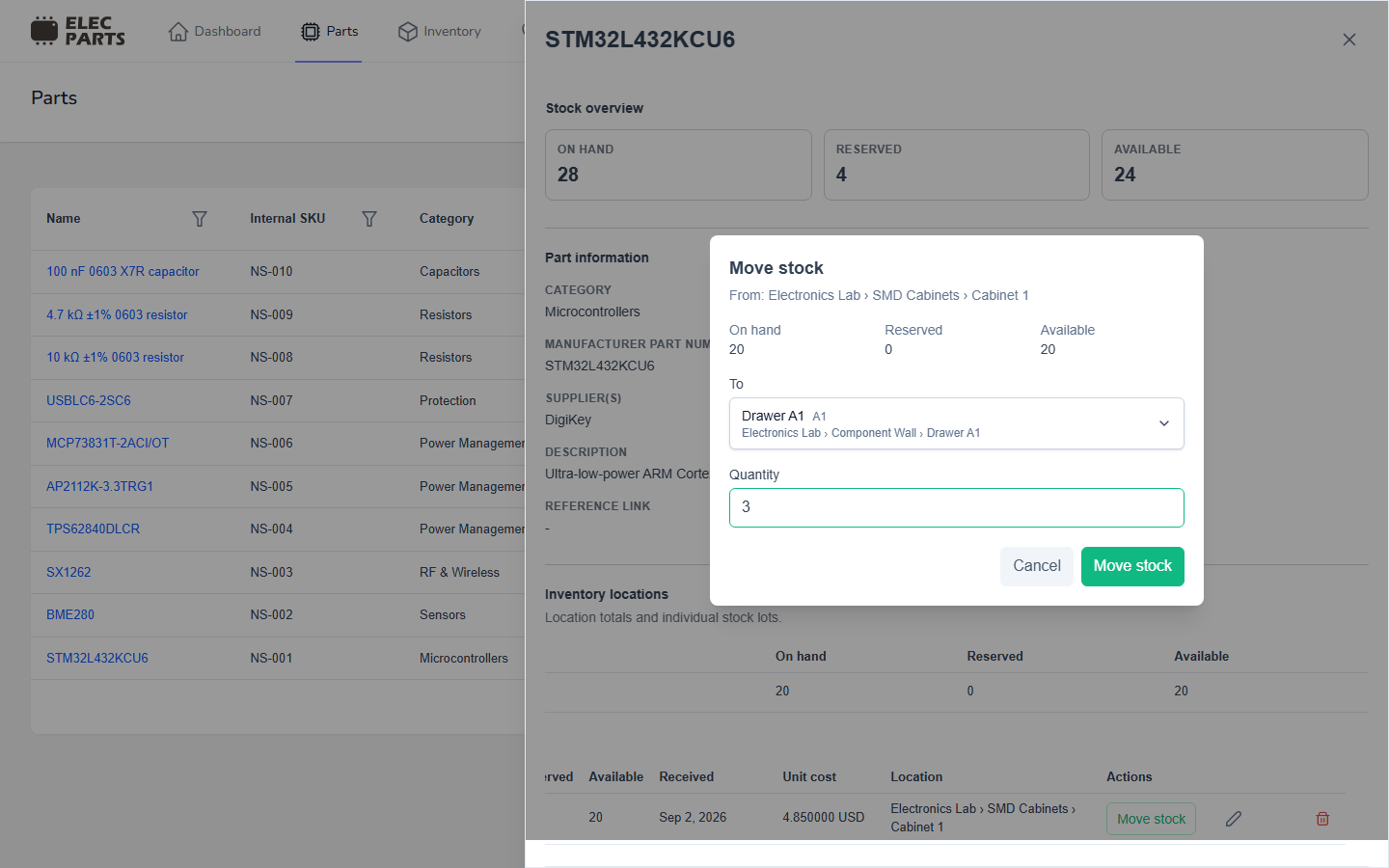
With Edit Inventory permission, select Move stock on a holding. Choose a different active destination location and the quantity to move. You can move only the Available quantity, and you can move part of a holding. The source quantity decreases and the destination quantity increases under the same stock batch, preserving its supplier and receipt identity.
Scrap a holding
With Delete Inventory permission, use the holding's delete action and confirm to scrap its remaining stock. The action removes the available quantity from stock and records a stock change; it does not erase the stock batch history. A holding cannot be cleared while the quantity is reserved for an active build.
For broader stock, receiving, and location workflows, see Inventory and Receiving.