

Categories
Open Settings → Categories to organize catalog parts in a hierarchy. A category can be a root category or a child of another category. Paths show the full hierarchy, for example Passives › Capacitors.
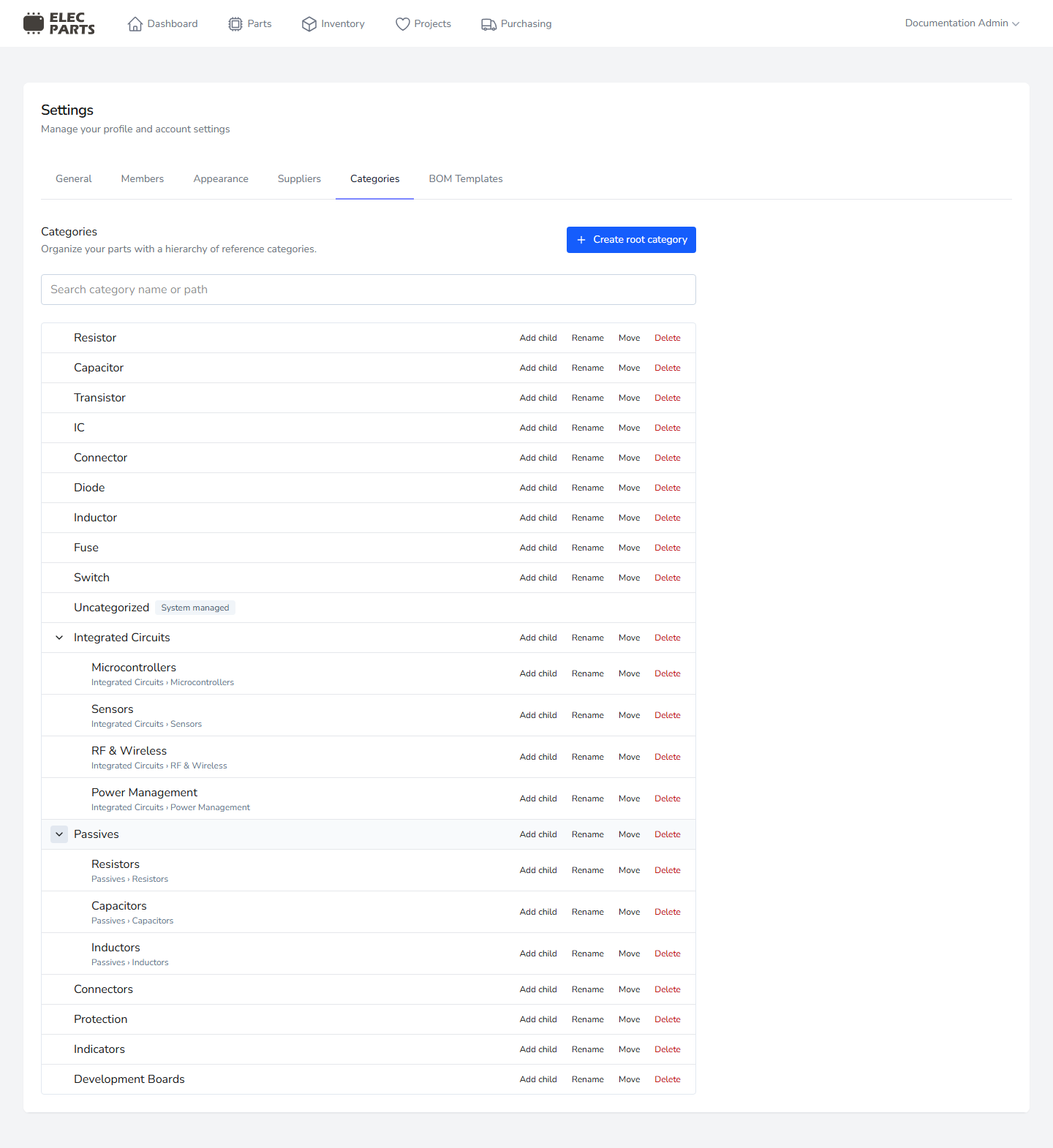
Use Search category name or path to find categories by name or full path. Search matches every word you enter. When the search is empty, use the expand and collapse controls to show or hide child categories.
Create and organize categories
Admins can create categories and manage the hierarchy:
- Select Create root category to add a category at the top level.
- Select Add child on a category to create a child beneath it.
- Select Rename to change a user-managed category's name.
- Select Move to choose a new parent category or make it a root category. Moving a category keeps its children with it.
- Select Delete to remove a category that is no longer needed.
Category names are limited to 50 characters. Names must be unique among siblings, so the same name may be used in separate branches.
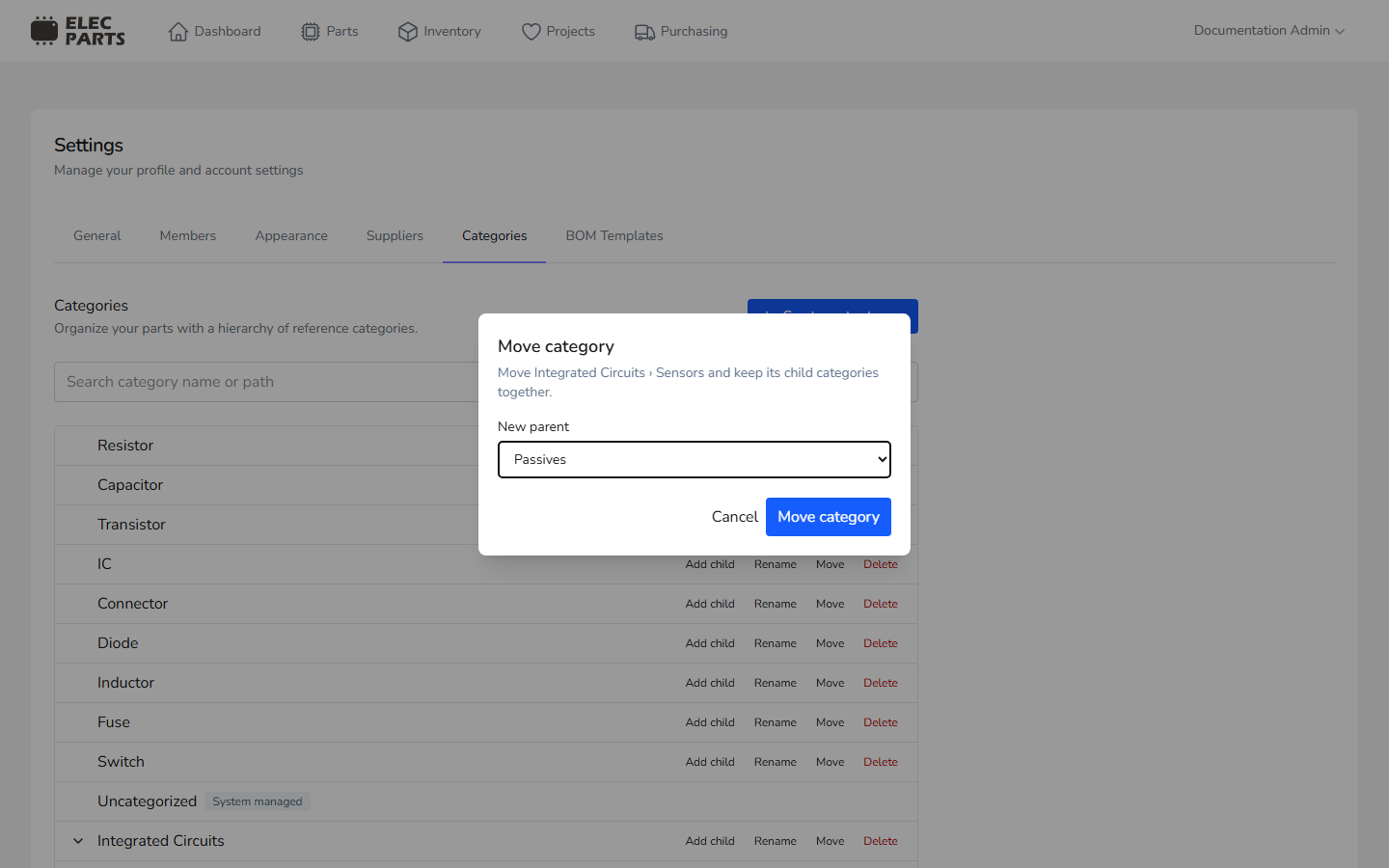
System-managed and deletion restrictions
Uncategorized is system managed. It remains available for parts that do not have a more specific category, but you cannot rename, move, or delete it, and you cannot create or move user-managed categories directly beneath it.
A category cannot be moved beneath itself or one of its descendants. Categories with child categories cannot be deleted. Deletion is also blocked when a category is referenced by parts, project BOM records, category positions or assignments, or a build's saved history. Move or reassign the related records first.
Categories are used to organize Parts and group entries in a Project BOM.