

Managing Projects
The Projects page lists active projects. Use the Active and Archived tabs to switch between current work and projects you have archived.
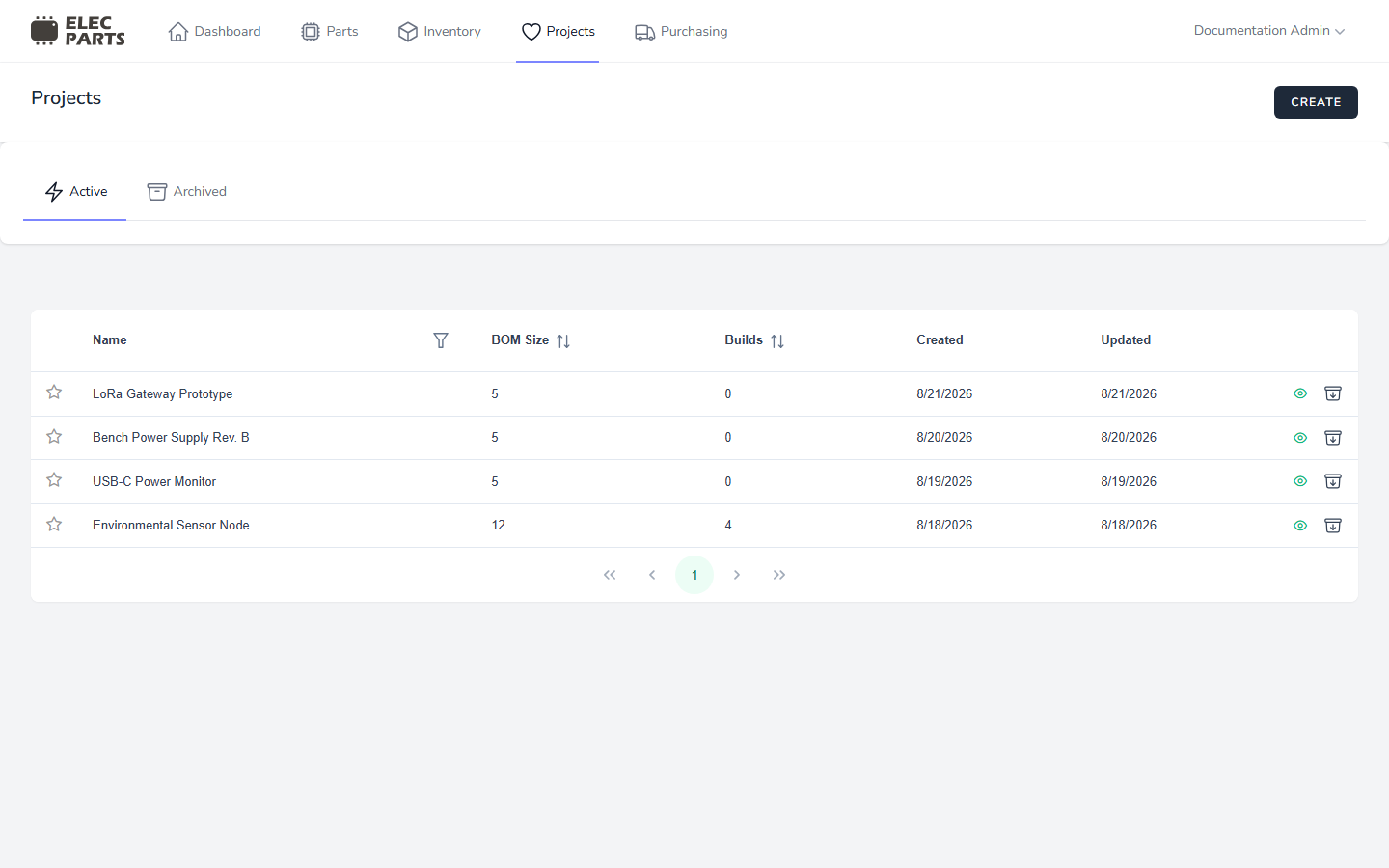
Read the project list
- Name — the project name. Select the row's open action to view the project.
- BOM Size — the number of BOM entries in the project.
- Builds — the number of build records associated with the project.
- Created and Updated — dates when the project was created and last updated. The overview list does not support sorting by date.
- Star — pin or unpin the project for your account. A filled star and highlighted row indicate a pinned project; pinned projects are ordered first by default.
- Archive — on the Active list, the archive action asks for confirmation and moves the project out of Active.
Find and sort projects
Use the Name column filter to search by project name. Select the sortable BOM Size or Builds column headings to sort by those counts. The Active list places your pinned projects first, then shows newer projects before older ones by default. Use the paginator below the table to move between pages; the list shows up to 10 projects per page.
The Archived tab shows archived projects with the same counts and date columns. You can open an archived project to review it, but there is no project restore action in the current interface.
See also: Archiving projects.