

Members
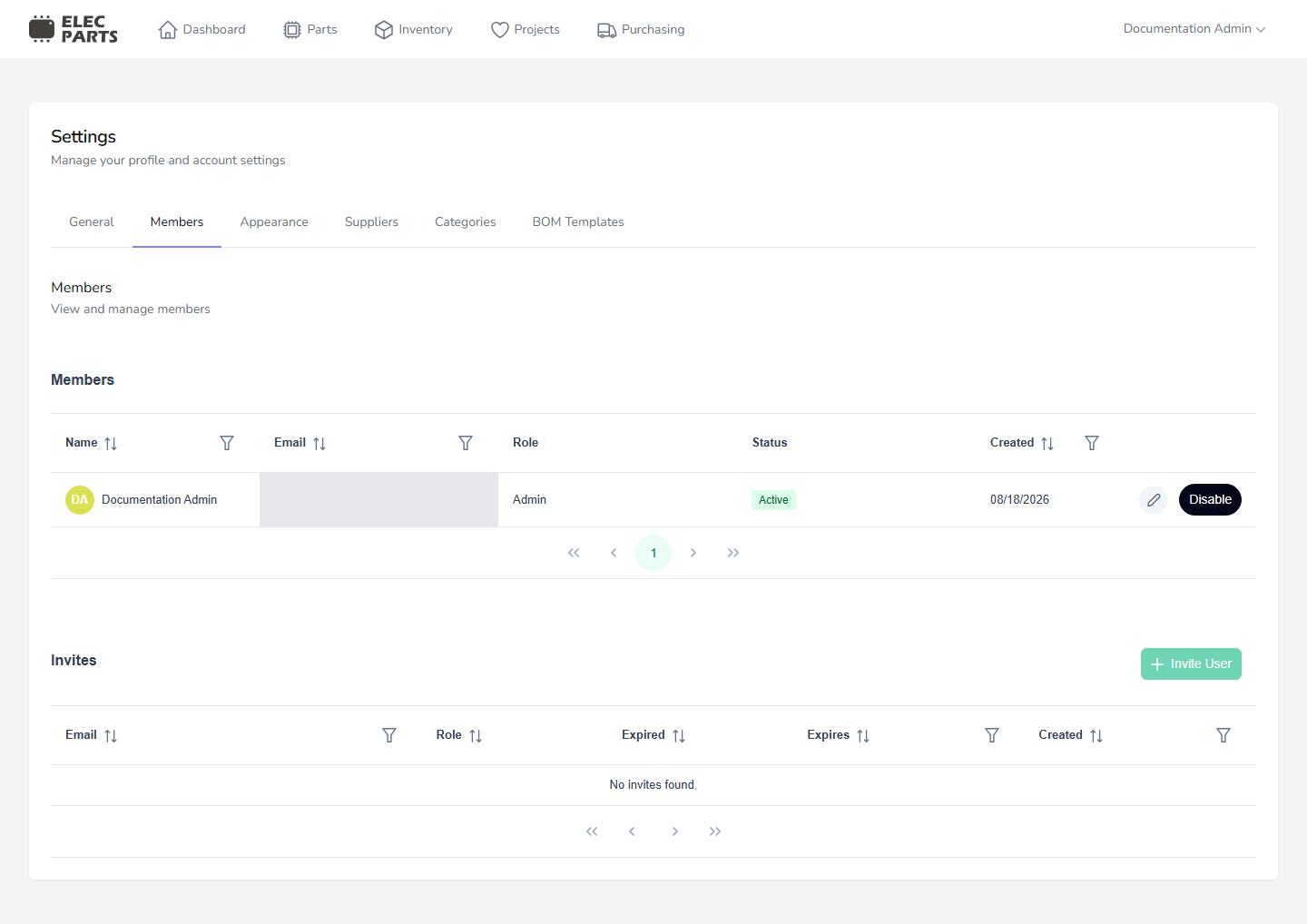
Open Settings → Members to see active and disabled members and outstanding invitations. The member table shows each person's name, email, role, status, and creation date.
Invite a member
The lab Owner or an Admin can select Invite User, enter an email address, choose a role, and send the invitation. Invitations expire after seven days. An email address that already belongs to a lab member or already has an outstanding invitation cannot be invited again.
The available roles are:
- Admin can manage all lab areas and settings.
- Editor can do day-to-day work in parts, projects, builds, inventory, and purchasing. Editors can view suppliers, categories, and BOM templates, but do not have their management controls.
- Viewer can view the main work areas and reference settings without editing them.
Change member details or access
The lab Owner or an Admin can edit a member's name and role. Disable blocks that member's access to the lab while retaining the member record and history. Members cannot disable their own account, including the lab Owner and Admin. An Owner or Admin can later select Activate to restore access.
Invitations that have not been accepted appear in the Invites table with their email, role when available, created date, expiration date, and whether they have expired.